
Scroll Stoppers / SB Too Real
Looks fake? Make it Too Real.
AI pictures give themselves away with plastic skin, perfect light and scenes that look staged. Type the same plain idea you'd type anyway. Too Real turns it into one detailed prompt with real skin, real light, a real camera and a list of what to keep out of that scene. Paste it into the picture or video app you already use.
- Real skin and real light, written into every prompt
- Fixes a prompt that looks fake and tells you why
- Keeps your AI character's face the same in every picture
- Video prompts too, with the movement and the camera planned
 What you typed
 Too Real
Pick your version
Instant download of every file, so all sales are final.
Works in Claude and ChatGPT. It writes prompts for any picture or video app you use. The Art Director agent comes with the Claude version.
01 / See what it did
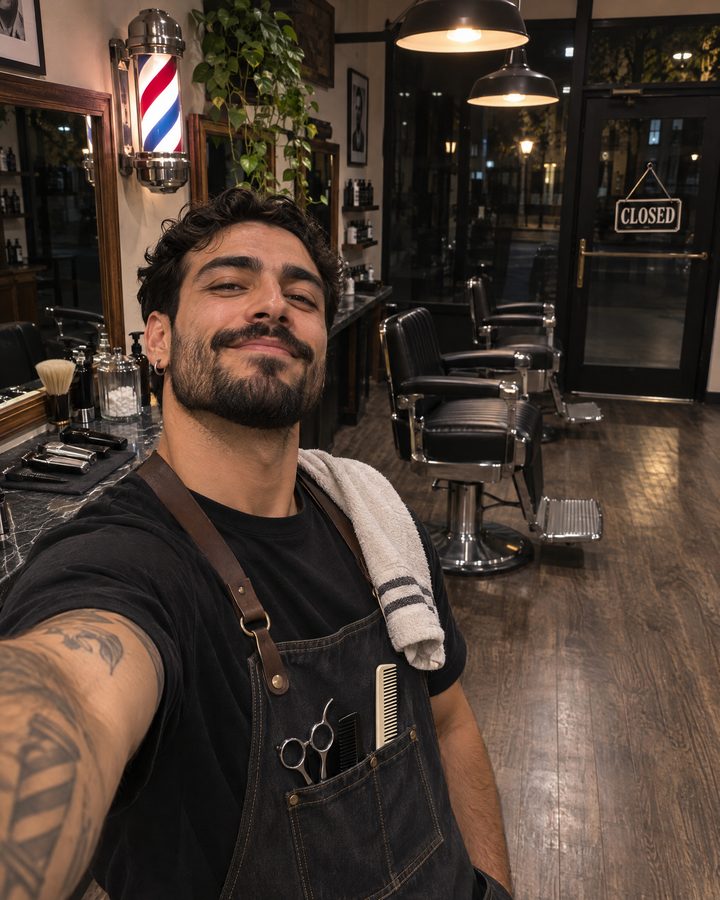
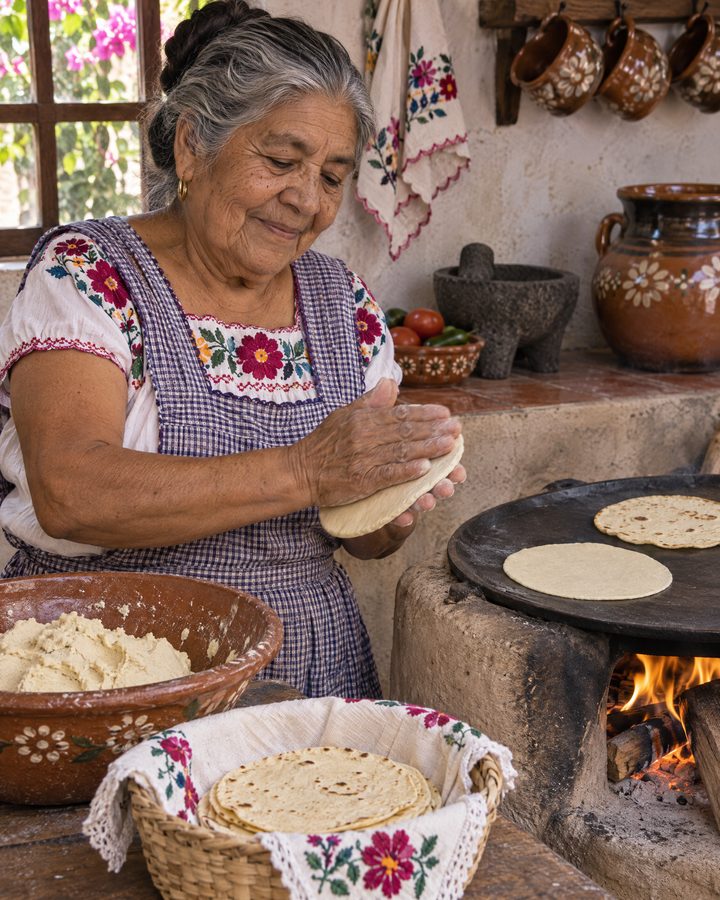
Three plain ideas. Three real-looking photos.
We typed three plain ideas into GPT Image 2.6 on Higgsfield. Then we gave Too Real the same three ideas and pasted its prompts into Nano Banana Pro. The plain ones came out like stock photos. Too Real's look like somebody was really there.
What you typedToo Real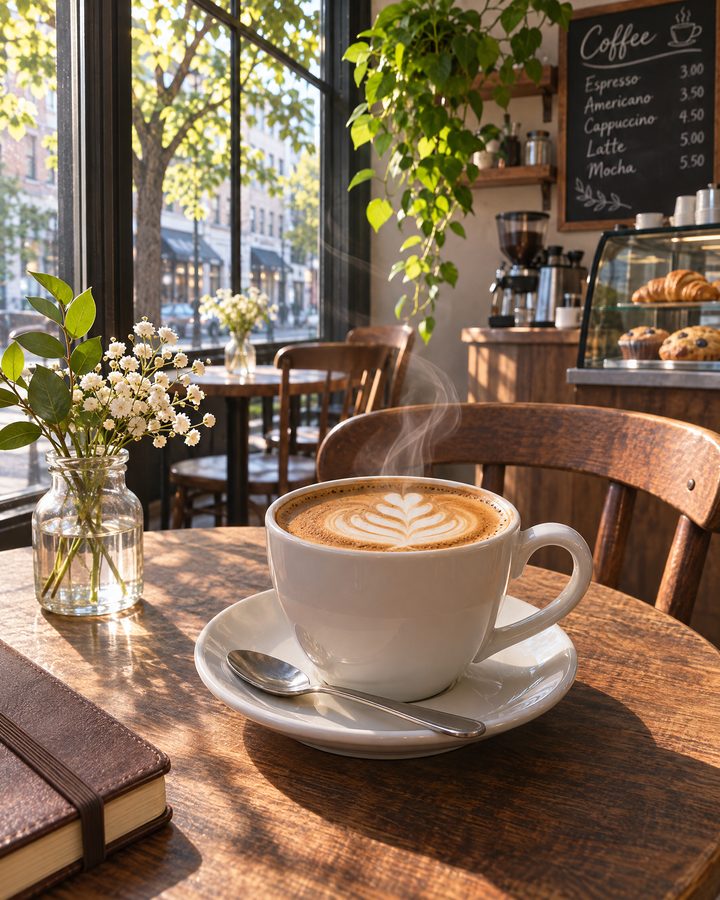 What you typed
 Too Real
 What you typed
 Too Real
02 / Why it matters
Your idea is fine. The details make it real.
Most AI pictures look fake for the same few reasons. Here's how people usually try to fix it.
Type it plain
Short prompts get the app's default look: smooth skin, perfect light and a staged scene.
Pile on words
“Ultra realistic, 8K, masterpiece” never tells the app what a real camera would see.
Fix it after
Fixing skin and hands in an editor takes time, and it can still look off.
Describe what a camera sees
Too Real writes the skin, the light, the lens and the small mess of a real moment, plus what to keep out.
03 / How it works
Idea in. Real photo prompt out.
Say the idea
One sentence is enough: who, where and what's happening. Stuck? Ask for 3 ideas to pick from.
Name your app
Tell it the picture or video app you use, and it shapes the prompt for that app.
Get the master prompt
One copy-ready prompt with the subject, the setting, the light, the camera and an avoid list made for that scene.
Paste and make it
Paste it into your app. Too Real writes the prompt, and your app makes the picture.
Looks off? Paste it back
Send a prompt that isn't working. It tells you what looked fake and gives you a fixed one.
Keep the same face
Using your own AI character? It keeps their face the same from picture to picture.
Claude, ChatGPT or both · instant download
04 / What's inside
An art director. Six skills.
In Claude, the Art Director agent takes your idea from rough to ready and picks the right skill at each step. In ChatGPT you ask for each step in plain words and the same six skills do the work.
FROM A PLAIN IDEA TO A REAL-LOOKING PICTURE
Real skin. Real light.
A workflow inside your own AI- Realistic photo promptsPortraits, products, food, places and phone-style photos.
- Fix a fake-looking promptA fixed prompt plus short notes on what looked fake.
- Same face, every pictureRecreate a reference photo or keep your AI character the same.
- Realistic video promptsMovement, camera moves and timing, planned so clips hold together.
- Idea starter3 different scene ideas, then the full prompt for the one you pick.
- Made for your appName your picture or video app and it shapes the prompt for it.
- 01
Skin with pores, lines and a little shine, never plastic.
- 02
Light from a real direction, with shadows that match.
- 03
A real camera and lens, with the focus where your eye goes.
- 04
The small mess of a real moment: crumbs, wrinkles, a stray hair.
- 05
An avoid list written for that exact scene.
It writes the prompt. Your picture or video app makes the image.
- The Claude plugin6 skills + the Art Director agent
- The ChatGPT pluginThe same 6 skills
- START HERE guideStep-by-step install with the real button names
- Starter promptsPrompts to try first
05 / Claude and ChatGPT
Same skills. Your pick.
Pick the AI you already use. Both get the same skills.
| In Claude | In ChatGPT | |
|---|---|---|
| The skills | All 6 skills | All 6 skills |
| The agent | The Art Director agent runs the steps for you | ChatGPT plugins can't hold agents, so you ask for each step in plain words |
| Works with | Any picture or video app you use | Any picture or video app you use |
06 / Made in the Lab
Tested on real ideas. Kept what worked.
Every picture on this page came from one plain sentence or one Too Real prompt, made the same night on Higgsfield. Nobody has AI figured out. So we test things, keep what works and pack it up so you can run it too.
Made for anyone who wants AI pictures that look real
- For AI creators, AI character and influencer makers, and marketers
- For people new to AI: one sentence is enough to start
- Skip it if you want the plugin to make the picture by itself. It writes the prompt, and your picture or video app makes the image.
07 / Questions
Questions, answered.
I'm new to AI. Is this for me?
Yes. Nobody has AI figured out, so you're not behind. Each version comes with a START HERE guide that walks you through installing it, step by step, with the real button names.
Does it make the pictures?
No. It writes the prompt. You paste it into the picture or video app you already use.
Will every picture come out perfect?
No prompt can promise that. Too Real gives your app much better directions, and if a picture still looks off, paste the prompt back and it fixes it.
Can it keep my AI character's face the same?
Yes. Give it your character's reference photo, and it writes prompts that keep the same face and look in every scene.
Claude or ChatGPT?
Pick the one you use. The ChatGPT version works in ChatGPT, the Claude version works in Claude, or get both. They use the same skills.
Is there a subscription?
No. You pay once and keep the files. No monthly fee and no API bill.
How do I get it?
Right after you pay, your download page opens. We also email you a link and a purchase code, so you can download again later (up to 20 times).
Can I get a refund?
Because the files download instantly, all sales are final. Questions before you buy? Email [email protected].
Looks fake? Make it Too Real.
Pick your version
Instant download of every file, so all sales are final.
Works in Claude and ChatGPT. It writes prompts for any picture or video app you use. The Art Director agent comes with the Claude version.